PDF Accessibility: Five Things to Check Before You Publish
PDFs are where accessibility quietly breaks. Here is a short checklist to catch the most common problems.
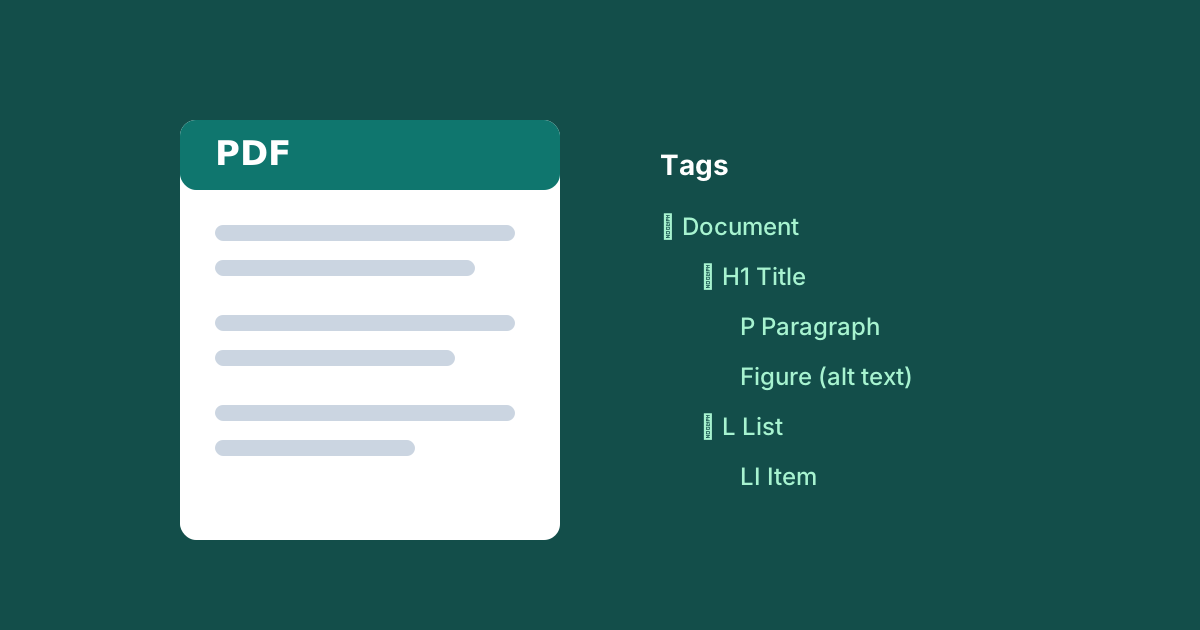
Websites get most of the accessibility attention, but a large share of the documents organisations publish — reports, forms, brochures, policies — are PDFs. And PDFs are where accessibility quietly breaks, because a file can look perfect on screen while being completely unusable with a screen reader.
Here are five checks that catch the majority of PDF problems.
1. Is it real text, or a scanned image?
Try to select a line of text with your cursor. If you can't, the "PDF" is really a picture of a page — a screen reader will read nothing at all. This is the single most common and most serious PDF failure. The fix is optical character recognition (OCR) or, better, exporting from the source document rather than scanning.
2. Is the document tagged?
Tags are the hidden structure that tells assistive technology "this is a heading," "this is a list," "this is a table." An untagged PDF has no structure to convey. In Acrobat, a quick way to check is the Tags panel — if it says "No Tags available," that needs fixing.
3. Is the reading order correct?
Tagging alone is not enough — the tags must be in the order a person would actually read the content. Multi-column layouts, sidebars, and pull-quotes often end up jumbled. Read the document top to bottom using the tag tree (or a screen reader) and confirm it flows logically.
4. Do images have alt text?
Every meaningful image — charts, diagrams, photos that carry information — needs a text alternative describing what it conveys (WCAG 1.1.1). Purely decorative images should be marked as artifacts so they are skipped rather than announced.
5. Is the metadata set?
Set a document title and language in the file's properties. Screen readers announce the title, and the language setting ensures words are pronounced correctly. A file called final_v3_REALfinal.pdf with no title is a poor experience even before you open it.
Where this fits
These five checks are a floor, not a ceiling — full PDF/UA conformance goes further, especially for complex tables and forms. But running through this list before you publish will prevent the failures that make a document unusable, which is where the real harm is.
Our audits include PDF documents alongside web pages, using the same WCAG mapping — because for most organisations, the PDFs are where the biggest gaps hide.
Back to all posts